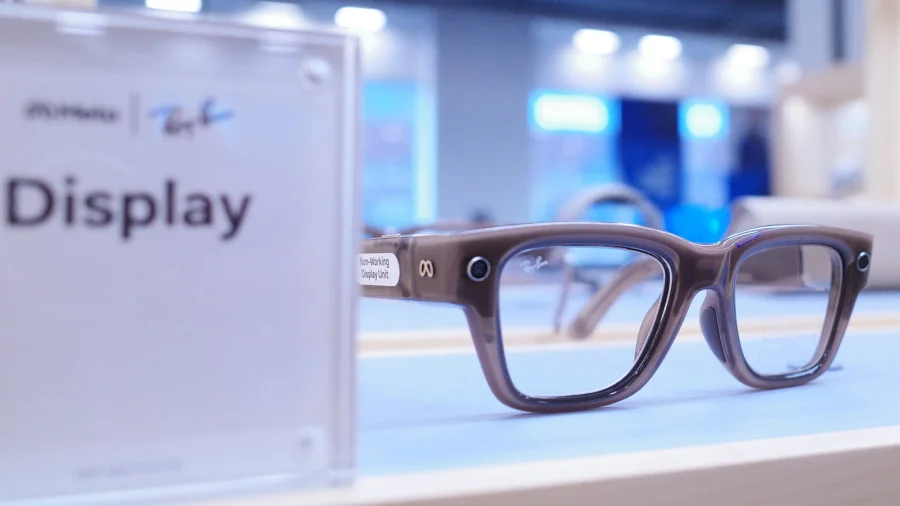
Smart glasses are becoming part of everyday life, but using them behind the wheel raises an obvious question: how do you stay connected without taking your eyes off the road? Meta's Display glasses now include an Audio Only feature that automatically turns off the display when it detects you're driving — a quiet but important safety update for anyone who wears them regularly.
What the Audio Only Feature Actually Does Behind the Wheel
When the glasses detect driving motion, the visual display shuts down. What remains active is the audio layer — voice commands, calls, navigation prompts, and music — so you can stay connected without glancing at a screen.
The idea is simple: remove the visual distraction, keep the hands-free utility. For drivers who rely on smart glasses for calls or directions, this means the device adapts to the situation rather than demanding attention.
Why This Matters for Drivers and Road Safety
Distracted driving remains one of the leading causes of road accidents worldwide. Even a two-second glance at a display can be dangerous at highway speeds.
By automatically disabling the display, Meta's Audio Only mode reduces one layer of risk. It doesn't replace responsible driving habits, but it removes a temptation that many wearable users would otherwise face.
How the Detection Works — and What Users Should Know
The glasses use motion and context signals to identify when you're driving. Once triggered, the display turns off without requiring manual input.
Users don't need to dig through settings mid-drive. The transition is designed to be automatic, which matters when your hands and attention are already occupied.
Who Benefits Most From This Feature
Frequent drivers, delivery workers, and commuters who wear smart glasses throughout the day are the clearest beneficiaries. For them, the glasses remain useful in the car without becoming a hazard.
It also addresses a common concern from regulators and safety advocates: that wearable displays could encourage distracted driving. Audio Only mode offers a practical middle ground.
What Meta Has Said About the Feature
Meta has framed the Audio Only mode as part of its broader approach to responsible wearable design. The company has emphasized that smart glasses should assist users, not compete for their attention in risky situations.
Specific technical details about detection accuracy or regional availability have not been fully detailed in public statements, and users should check their device documentation for the latest information.
Confirmed Facts vs What Remains Unclear
Confirmed: Meta Display glasses include an Audio Only feature that turns off the display when driving is detected.
Unclear: The exact sensors or algorithms used for detection, whether the feature can be manually overridden, and how it performs across different vehicle types or regions.
Users should treat any claims beyond the core functionality as unverified until Meta provides further documentation.
Risks and Balanced View
No feature eliminates driving risk entirely. Audio-only interaction still requires cognitive attention, and voice commands can occasionally misfire or require repetition.
Drivers should also be aware that laws around wearable devices vary by country and state. In some jurisdictions, any screen-based device — even one that's off — may attract scrutiny.
The Audio Only mode is a helpful step, but it is not a substitute for full attention on the road.
A Wider Shift Toward Context-Aware Wearables
Meta's move reflects a broader trend: devices that adapt to what the user is doing. Smartwatches, phones, and now glasses are increasingly designed to change behavior based on context.
For smart glasses to gain mainstream trust, features like Audio Only mode may become standard rather than optional. Safety-aware design is becoming a competitive requirement, not just a nice-to-have.
Practical Guidance for Meta Display Glasses Users
Before driving, confirm that your glasses are updated to the latest firmware. Check that the Audio Only feature is enabled in your settings.
Test voice commands in a parked position so you know what works. And always follow local traffic laws — no wearable feature overrides the rules of the road.
What Could Come Next
Future updates could refine detection accuracy, add more granular controls, or expand the feature to other contexts like cycling or walking in busy areas.
Meta has not announced specific roadmap details, but the direction is clear: smarter context awareness across its wearable lineup.
Our Take
The Audio Only feature is a small but meaningful example of how wearable tech can mature. Instead of adding more screen time, Meta is choosing to remove it when it matters most.
It won't solve distracted driving on its own, but it sets a useful precedent — that smart devices should know when not to demand your attention.
Frequently Asked Questions
How do I enable Audio Only mode on Meta Display glasses?
The feature is designed to activate automatically when driving is detected. Check your device settings to confirm it's enabled and that your firmware is up to date.
Does Audio Only mode turn off all functions?
No. It disables the visual display but keeps audio features like calls, music, and voice commands active.
Can I override Audio Only mode while driving?
Meta has not publicly detailed manual override options. Users should avoid interacting with the display while driving regardless.
Is it legal to wear Meta Display glasses while driving?
Laws vary by region. Some places restrict wearable devices with displays. Always check your local regulations before using them behind the wheel.