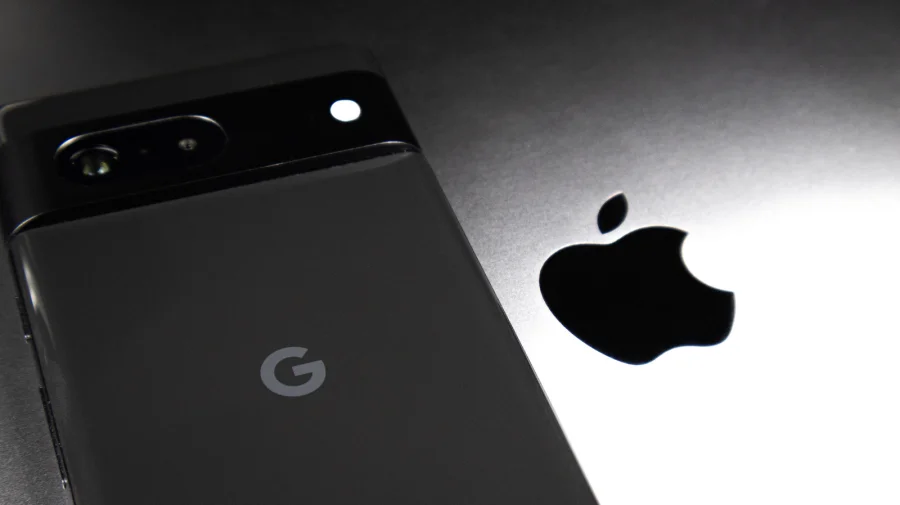
You captured a perfect moment on your Android phone. You send it to a friend with an iPhone. What arrives looks like it was taken on a phone from 2008 — pixelated, dull, and disappointing. This frustration is universal among cross-platform users, and it happens because of how messaging systems compress media files.
Why Photos Lose Quality Between Android and iPhone
When you send images or videos through standard SMS or MMS, your carrier compresses the file to reduce data usage. This compression strips away resolution and detail. The result is a photo that looks sharp on your phone but arrives looking soft and blurry on the other end.
Apple's iMessage preserves quality — but only when both users have iPhones. Android users are left out of this ecosystem entirely. This is not a hardware limitation; it is a software and protocol issue that has a straightforward workaround.
The Simplest Fix: Use a File-Sharing App
Apps like WhatsApp, Telegram, and Signal offer a "document" or "file" attachment option that bypasses their standard image compression. When you attach a photo as a document rather than as a regular image, the app sends the original file without shrinking it.
On WhatsApp, tap the attachment icon, select "Document," then choose your photo or video. The recipient receives the file in its original quality. This method works reliably and most people already have one of these apps installed.
Cloud Links: The Professional's Choice
Google Photos, iCloud, and Dropbox allow you to upload a file and share a link instead of sending the file directly. The recipient opens the link and views or downloads the image at full resolution. This method is ideal for large batches of photos or lengthy videos that would otherwise be heavily compressed.
Google Photos is particularly effective because it works seamlessly across both platforms. You upload from Android, generate a shareable link, and the iPhone user opens it in their browser or the Google Photos app without any quality loss.
Direct Transfer Tools for Large Batches
For users who frequently move many files between devices, dedicated transfer apps like Send Anywhere or Snapdrop offer a direct peer-to-peer connection. These tools create a temporary link or use a nearby device scan to transfer files without uploading them to a server first.
This approach is faster than cloud uploads and preserves original quality. It works over Wi-Fi or mobile data and requires no cables or accounts. The trade-off is that both users need to have the app installed or be on the same network.
What About AirDrop Alternatives?
Apple's AirDrop is famously smooth — but it only works between Apple devices. Android users have no native equivalent. Google's Nearby Share was the closest alternative, and it has now been rebranded as Quick Share following a partnership with Samsung.
Quick Share works between Android devices and Windows PCs, but it still does not support iPhones. This gap in the ecosystem is precisely why third-party solutions remain necessary for cross-platform file sharing.
Which Method Should You Choose?
Your choice depends on your situation. For a single photo sent occasionally, attaching it as a document in WhatsApp or Telegram is the fastest solution. For a wedding album or a long vacation video, a Google Photos link is more practical. For bulk transfers between your own devices, a direct transfer app saves time.
Consider file size limits as well. Messaging apps typically cap document sizes — WhatsApp allows up to 2GB, while Telegram offers 2GB on its premium tier. Cloud services generally offer more generous limits but require upload time.
Confirmed Facts vs What Remains Unclear
What is confirmed: SMS and MMS compress media files, degrading quality. Third-party apps with document attachment options preserve original quality. Cloud link sharing maintains full resolution. What remains unclear: whether Apple will ever open AirDrop to Android devices — no official announcement has been made, and speculation should be treated as such.
The Platform Divide: Why This Problem Exists
This issue is a direct consequence of competing ecosystems. Apple builds seamless experiences for its own users but does not extend them to Android. Google has attempted cross-platform solutions but cannot force Apple to adopt them. The user is left to navigate this gap with workarounds.
Understanding this context matters because it explains why no single perfect solution exists. Every method involves a compromise — installing an app, uploading to the cloud, or accepting a slightly longer process.
Risks and Balanced View
Each method has drawbacks. Document attachment in messaging apps requires the recipient to understand how to open and save the file. Cloud links depend on internet speed and storage space. Direct transfer tools require both parties to install unfamiliar apps.
Privacy is another consideration. Cloud services store your photos on their servers, even temporarily. If you are sharing sensitive content, a direct peer-to-peer transfer is more private than uploading to a cloud service.
The Bigger Pattern: Cross-Platform Communication Gaps
This photo-sharing problem is one example of a broader issue — the friction that exists whenever users try to move between Apple and Google ecosystems. From messaging to file sharing to app purchases, the two platforms do not interoperate smoothly.
Regulatory pressure in Europe and elsewhere has pushed Apple toward greater interoperability, but progress has been slow. For now, users must rely on third-party solutions to bridge the gap.
Practical Guidance for Everyday Users
If you share photos with iPhone users regularly, set up one reliable method and stick with it. Ask your contacts which app they prefer. Many iPhone users already have WhatsApp or Telegram installed for other reasons, making document attachment the least disruptive option.
For important files — documents, contracts, high-resolution images — always use a method that preserves original quality. Never rely on standard text messaging for anything you want to keep sharp.
What Could Change in the Future
Industry pressure and regulatory action may eventually force Apple and Google to create native cross-platform sharing tools. Apple has already adopted RCS (Rich Communication Services) support, which improves messaging between iPhone and Android devices, though it does not yet fully address media quality.
Until a native solution arrives, the methods described here remain the most effective ways to preserve image and video quality across platforms.
Our Take
The frustration of sending compressed photos is a daily reminder that technology giants prioritize their own ecosystems over user experience. The workarounds are effective but require effort that should not be necessary. Until the platforms cooperate, users should choose one reliable method and make it a habit — your photos deserve better than pixelated versions of themselves.
Frequently Asked Questions
Does WhatsApp compress photos sent from Android to iPhone?
Yes, when you send photos as regular images, WhatsApp compresses them. To avoid this, attach the photo as a document instead — this sends the original file without compression.
What is the best free way to send high-quality videos from Android to iPhone?
Google Photos is the most reliable free option. Upload the video, generate a shareable link, and send it to the iPhone user. They can view or download the video in original quality.
Can I use AirDrop to send photos from Android to iPhone?
No. AirDrop is exclusive to Apple devices. Android users need to use third-party apps, cloud links, or direct transfer tools instead.
Why do photos get blurry when sent from Android to iPhone?
Standard SMS and MMS compress media files to reduce data usage. This compression reduces resolution and detail, making photos appear blurry or pixelated on the receiving device.