That tangled cable sitting in your car's centre console has an expiration date. Ottocast, a compact wireless CarPlay adapter, promises to eliminate the daily ritual of plugging in your iPhone before every drive. The pitch is simple: start the car, and CarPlay appears on your dashboard without a single wire involved.
The Core Problem Ottocast Solves
Many modern cars still ship with wired-only Apple CarPlay. That means every trip begins with fumbling for a Lightning or USB-C cable, plugging in, and hoping the connection holds. Ottocast removes that step entirely by converting the wired signal into a wireless one.
The device itself is small — roughly the size of a USB flash drive. It plugs directly into your car's USB port, the same one you'd normally use for CarPlay. Once connected, it broadcasts its own Wi-Fi network. Your iPhone detects this network and establishes a CarPlay session automatically.
What Happens the Moment You Start Your Car
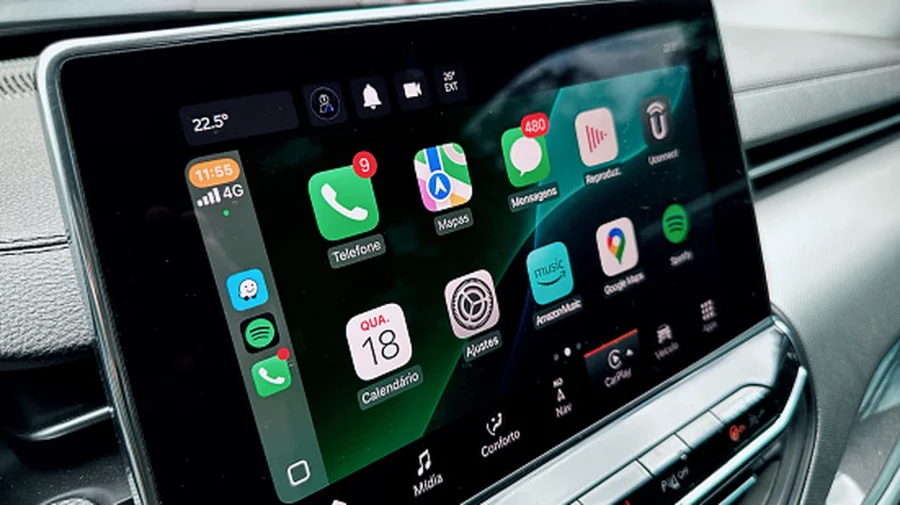
The experience is designed to be seamless. When you switch on the ignition, the Ottocast dongle powers up and begins broadcasting. Your iPhone, having been paired once during initial setup, recognises the signal and launches CarPlay within seconds.
There's no tapping through menus or reconnecting Bluetooth each time. The handshake between phone and dongle happens in the background. By the time you've buckled your seatbelt, your maps, music, and messages are already on the dashboard screen.
Breaking Down the Ottocast Price Range
Cost depends heavily on which model you choose. Ottocast offers several tiers, and the price difference reflects processing power, video output quality, and extra features.
Entry-level models, designed purely for wireless CarPlay conversion, typically sit at the lower end of the range. Higher-end versions support 4K video playback for entertainment apps, faster processors for smoother navigation, and dual Bluetooth for connecting multiple devices simultaneously. Some premium models also allow video streaming from apps like YouTube or Netflix when the car is parked.
Who Benefits Most From Going Wireless
Daily commuters feel the difference immediately. No more plugging and unplugging multiple times a day. Ride-share drivers and delivery professionals also benefit, as they're constantly entering and exiting their vehicles.
Families with multiple iPhone users gain flexibility too. Some Ottocast models support multiple paired phones, allowing different drivers to connect without re-pairing. The convenience factor is the primary selling point — it's not adding new functionality, just removing friction from an existing one.
Compatibility: Not Every Car Qualifies
Before buying, check your vehicle's specifications. Ottocast requires your car to already have wired CarPlay built in. If your car doesn't support CarPlay at all, this dongle won't change that.
Your iPhone also needs to be reasonably recent. Older iPhone models may struggle with the wireless connection or lack the necessary software support. Apple's iOS version matters as well — outdated software can cause connection drops or pairing failures.
Setup Process: One-Time Effort
Initial pairing takes a few minutes. Plug the Ottocast into your car's USB port, wait for it to boot, then navigate to your iPhone's Bluetooth settings. Select the Ottocast device, and follow the on-screen prompts to grant CarPlay permissions.
After that first setup, the connection becomes automatic. The dongle remembers your phone, and your phone remembers the dongle. It's a one-time configuration that pays off every subsequent drive.
Confirmed Facts vs What Remains Unclear
Verified: Ottocast converts wired CarPlay to wireless. It requires a car with existing wired CarPlay support. Setup involves a one-time Bluetooth pairing.
Unclear: Exact pricing varies by region, retailer, and ongoing promotions. Long-term reliability across different car models hasn't been uniformly documented. Performance can vary depending on your car's USB port power output and your iPhone's age.
Risks and Balanced View
Wireless CarPlay adapters aren't perfect. Some users report occasional connection lag compared to a wired link. Audio quality can occasionally dip if the Wi-Fi signal is weak. And if your car's USB port doesn't provide enough power, the dongle may not function reliably.
There's also the cost question. If your car already works fine with a cable, spending thousands of rupees on a wireless adapter is a convenience purchase, not a necessity. For some drivers, the cable simply isn't that annoying.
The Broader Shift Toward Wireless Car Connectivity
Ottocast sits within a larger industry trend. Automakers are gradually moving toward wireless CarPlay and Android Auto as standard features. But the installed base of cars with wired-only systems remains enormous. Adapters like Ottocast bridge that gap, offering a low-cost upgrade path without buying a new vehicle.
This mirrors what happened with wireless charging and Bluetooth audio — early adopters used dongles, and the technology eventually became standard. Ottocast is riding that same wave.
Practical Guidance Before You Buy
Check your car's manual to confirm it has wired CarPlay. Verify your iPhone model supports wireless CarPlay — generally iPhone 5 and later, but newer models work best. Read recent reviews for your specific car model to see if other owners report smooth performance.
Compare prices across official retailers and marketplaces. Be wary of heavily discounted listings that might be counterfeit or older-generation models. Confirm the return policy before purchasing, in case compatibility issues arise.
Future Outlook
As wireless CarPlay becomes more common in new vehicles, the demand for adapters may eventually decline. But for the millions of drivers with existing cars, Ottocast and similar devices will remain relevant for years. Expect continued firmware updates and new models with faster processors and better connectivity.
Our Take
Ottocast solves a real, everyday annoyance — the cable. It doesn't add flashy features or reinvent the dashboard. It simply makes an existing system more convenient. For drivers who spend significant time in their cars, that convenience justifies the cost. For occasional drivers, the cable might not be worth eliminating. The decision comes down to how much you value those few seconds saved every time you get behind the wheel.
Frequently Asked Questions
Does Ottocast work with any car?
No. Ottocast only works with cars that already have wired Apple CarPlay built in. If your car lacks CarPlay entirely, the adapter won't add it.
How long does it take to connect?
After initial setup, connection typically happens within 5 to 15 seconds of starting the car. The dongle and iPhone automatically recognise each other without manual intervention.
Will Ottocast drain my car battery?
No. The dongle only draws power when the car's USB port is active, which is usually only when the ignition is on. It doesn't draw power when the car is off.
Can I still use wired CarPlay if I install Ottocast?
Yes. You can unplug the Ottocast and use your original cable whenever you prefer. The two methods aren't mutually exclusive — it's simply a matter of which connection you choose to use.