Your Roku streaming stick has a personality hidden beneath its clean, simple interface. Beyond the familiar home screen lies a series of undocumented menus that can change how your device behaves — and even influence the ads you see. These aren't advertised, and Roku won't tell you about them. But they're there, waiting for a specific sequence of remote button presses.
The Hidden Layers Inside Roku's Operating System
Roku's software is built on a Linux foundation, and like many tech platforms, it carries diagnostic tools meant for developers and quality assurance teams. These tools never disappeared — they simply stayed out of sight. Tech enthusiasts discovered them over time and shared the access codes across forums and video tutorials.
What makes these menus valuable is their reach. Standard Roku settings cover basics like display type and network connection. The secret menus go deeper, offering control over ad identifiers, bandwidth testing, and even hidden screen calibration options.
Why a Secret Menu Matters for Everyday Streaming
For most users, the most practical reason to explore these menus is advertising. Roku generates significant revenue from ads displayed on its home screen and screensaver. The secret menu includes options to reset your advertising identifier — the digital tag that helps Roku serve targeted ads based on your viewing habits.
Resetting this identifier gives you a fresh start, effectively clearing the profile Roku has built about your preferences. It's not a complete ad blocker, but it disrupts the tracking loop that follows your streaming choices.
How the Secret Menus Became Known
Roku never published official documentation for these hidden screens. Instead, the knowledge spread through online communities where users experimented with button combinations. Early discoveries focused on diagnostic screens that displayed network statistics and signal strength — useful for troubleshooting buffering issues.
Over time, users mapped more sequences, revealing menus for adjusting audio sync, checking storage health, and modifying platform behavior. The information now circulates across tech blogs, Reddit threads, and YouTube tutorials, creating a crowdsourced manual for features Roku left undocumented.
What Real Users Can Actually Change
The secret menus offer several practical functions. The advertising menu lets you view and reset your ad ID, which some users report changes the relevance of ads they see. The network diagnostic menu provides detailed connection statistics that can help identify why streaming quality drops at certain times.
There's also a developer menu that allows deeper system tweaks, though this one carries more risk. Changing settings here without understanding their purpose could affect device stability or performance.
Roku's Position on Hidden Features
Roku has not issued formal statements about these secret menus. The company's official support documentation focuses on standard settings and troubleshooting. This silence suggests the menus are tolerated for developer use rather than intended for general consumers.
Industry observers note that many streaming platforms maintain similar hidden interfaces. They serve practical purposes during manufacturing, testing, and customer support — allowing technicians to diagnose issues without exposing complex options to everyday users.
What These Menus Reveal About Streaming Economics
The existence of an ad preferences menu inside a secret screen tells a larger story about how streaming devices make money. Roku sells hardware at competitive prices, often near cost. The real revenue comes from advertising and data partnerships. Understanding this model explains why ad controls sit buried rather than featured prominently.
For privacy-conscious viewers, knowing these menus exist provides a measure of control. While Roku's standard settings include some ad options, the secret menu offers additional flexibility for those willing to explore.
Confirmed Access Methods vs Community Reports
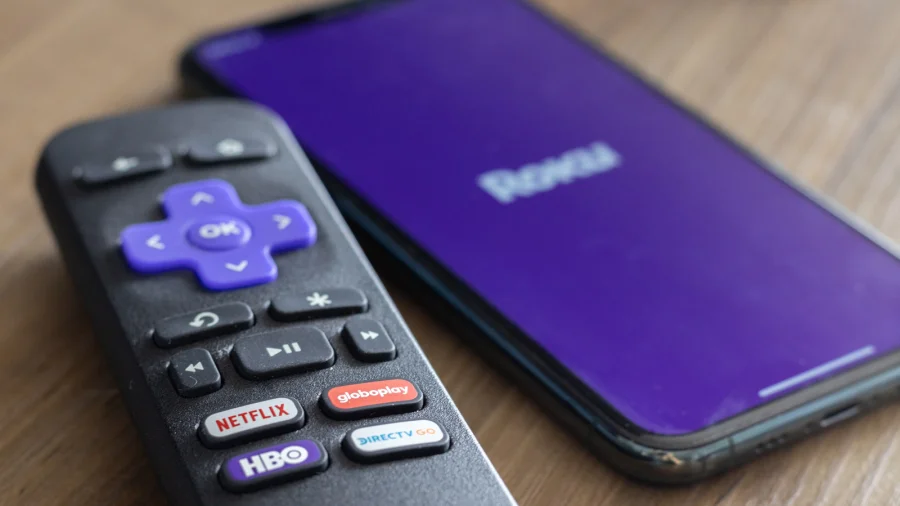
What's verified: pressing specific button sequences on the Roku remote opens hidden diagnostic screens. These sequences involve combinations like pressing Home three times, then Up twice, then Right, Left, Right, Left, Right.
What remains less certain: whether every Roku model and OS version responds identically. Community reports suggest some older devices may have different sequences or missing menus. Roku's silent approach means no official confirmation exists for which models support every hidden screen.
Roku's Platform Advantage Beyond Hidden Menus
These secret screens exist because Roku built its platform on open-source foundations with developer tools baked in. This technical approach has helped Roku maintain a leading position in the streaming device market. The company's OS appears across its own hardware and licensed to TV manufacturers, creating an ecosystem that spans millions of households.
The hidden menus reflect a broader philosophy: Roku's system is simple for average users but flexible enough for technical exploration. This balance has helped the platform retain loyal users who appreciate both ease of use and hidden depth.
Risks of Exploring Hidden Settings
Not every option in these menus is safe for casual experimentation. Some screens display technical data without offering changes — these are harmless to explore. Others, particularly developer-focused menus, can alter system behavior in ways that might require a factory reset to undo.
Users should also understand that resetting ad identifiers doesn't stop all tracking. Roku still collects viewing data for operational purposes. The secret menu provides more control, not complete privacy.
The Broader Pattern of Hidden Tech Features
Roku isn't alone in hiding features from users. Smart TVs, gaming consoles, and smartphones all contain undocumented menus and diagnostic screens. This pattern reflects how consumer electronics balance simplicity with technical capability — hiding complexity from most users while keeping tools available for those who need them.
For streaming devices specifically, hidden menus have become a point of community interest. Enthusiasts share discoveries, compare notes across models, and push the boundaries of what their devices can do.
Practical Steps for Curious Roku Owners
If you want to explore these menus, start with the least risky options. The network diagnostic screen provides useful information without any downside. The advertising menu offers a practical privacy benefit through ad ID reset.
Before entering any secret menu, note your current settings. If something goes wrong, a factory reset through standard settings will restore your device to its original state. Avoid changing options you don't understand, particularly in developer-focused screens.
What Comes Next for Roku's Hidden Features
As Roku continues updating its operating system, these secret menus may change or disappear. Newer versions could alter button sequences or remove certain screens entirely. The community that documents these features will likely track such changes, but there's no guarantee current methods will work indefinitely.
For now, the secret menus remain accessible, offering curious users a window into how their streaming device really works.
Our Take
The Roku secret menu represents something increasingly rare in consumer technology: hidden functionality that users can discover and control. In an era where platforms often remove user agency, these undocumented screens offer a small but meaningful counterpoint. They remind us that our devices contain more than what the polished interface shows — and that curiosity can still unlock useful capabilities.
The ad preference controls deserve particular attention. As streaming platforms face growing scrutiny over data collection, features that let users reset tracking identifiers gain practical importance. Roku may not advertise these options, but their existence offers a measure of transparency — even if it's hidden in plain sight.
Frequently Asked Questions
How do I access the Roku secret menu?
Press Home three times, then Up twice, then Right, Left, Right, Left, Right on your Roku remote. This sequence opens a hidden diagnostic menu with multiple options.
What can I change in the Roku secret menu?
You can view network diagnostics, reset your advertising identifier, and access developer options. The advertising reset is the most commonly used feature for privacy purposes.
Is accessing the Roku secret menu safe?
Viewing diagnostic information is safe. Changing developer settings carries some risk and could require a factory reset if you alter something incorrectly. Stick to the advertising and network options unless you understand the technical implications.
Will the Roku secret menu stop ads completely?
No. Resetting your ad identifier reduces targeted advertising but doesn't eliminate ads entirely. Roku still displays promotional content and collects some operational data regardless of these settings.