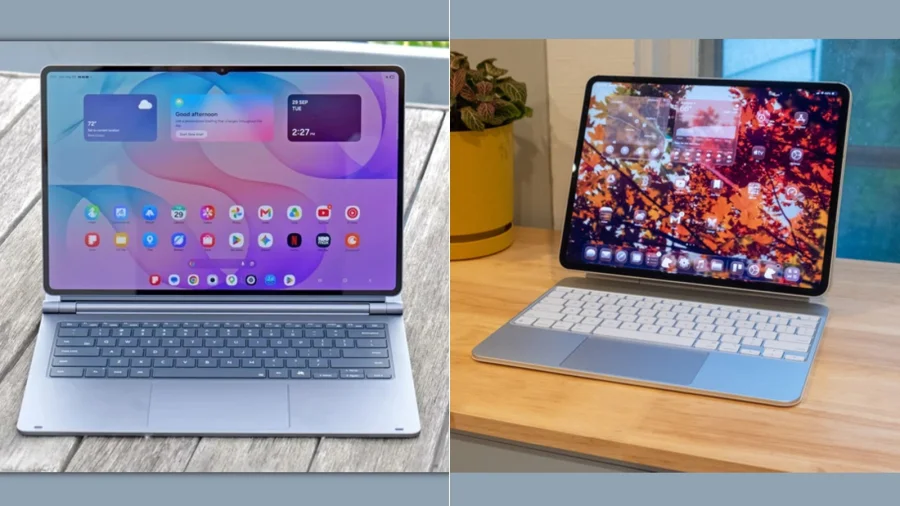
Two tablets. Two ecosystems. One question every premium buyer eventually asks: which one is actually worth the money? The Samsung Galaxy Tab S12 Ultra and the Apple iPad Pro sit at the very top of the tablet market, and on paper they look almost evenly matched. In practice, the decision is simpler than most people expect.
Two Flagships, Two Very Different Philosophies
Samsung builds the Galaxy Tab S12 Ultra as an everything-device. A large AMOLED display, S Pen support out of the box, and DeX mode that turns the tablet into something resembling a desktop. It is designed for people who want one device that does a bit of everything.
Apple's iPad Pro takes the opposite route. It is built around iPadOS, the M-series chip family, and a tightly controlled app ecosystem. Apple's pitch is not flexibility — it is polish, consistency, and apps that simply work.
Why the Ecosystem Decides More Than the Spec Sheet
This is the part most comparisons skip. If you already carry a Samsung phone, Galaxy Buds, and a Windows laptop, the Tab S12 Ultra slots in almost effortlessly. File sharing, clipboard sync, and call handoff work across devices without friction.
If you live inside Apple's world — iPhone, Mac, AirPods, Apple Watch — the iPad Pro becomes the natural extension of that setup. Sidecar, Universal Control, and Handoff are not gimmicks; they are the reason many buyers never seriously consider Android tablets.
Switching ecosystems to save a few thousand rupees rarely works out. The friction shows up weeks later, not on day one.
Display, Performance, and the Specs That Actually Matter
Both tablets use top-tier panels and flagship-grade chips. Samsung leans on AMOLED for deep blacks and vivid colour, which matters for media consumption and HDR content. Apple's iPad Pro uses a high-refresh display tuned for creative work and colour accuracy.
In day-to-day use, the gap in raw performance is far smaller than the marketing suggests. Both handle video editing, heavy multitasking, and demanding games without breaking a sweat. The real difference shows up in software optimisation — how smoothly apps behave over months, not minutes.
Who Each Tablet Is Really Built For
The Galaxy Tab S12 Ultra suits students, note-takers, media consumers, and users who want a tablet that can occasionally behave like a laptop. The bundled S Pen and DeX mode make it a strong pick for anyone who refuses to be locked into one way of working.
The iPad Pro suits creatives, professionals, and anyone whose workflow already depends on Apple's app library. Procreate, Final Cut for iPad, and Logic Pro are not available on Android — and for many buyers, that single fact settles the debate.
Accessories, Pricing, and the Hidden Cost of "Pro"
Neither tablet is cheap, and neither is complete without accessories. Keyboards and styluses push the total cost significantly higher on both sides. Samsung includes the S Pen in the box, which is a genuine advantage. Apple sells the Apple Pencil separately.
Regional pricing, storage variants, and carrier bundles vary widely, so buyers should compare final out-of-the-box costs rather than headline prices.
Confirmed Facts vs What Remains Unclear
Confirmed: Both tablets exist as flagship offerings from Samsung and Apple, both support stylus input, and both are positioned as productivity devices.
Unclear: Exact regional pricing, long-term software support timelines, and real-world battery differences depend on configuration and usage. Buyers should verify current specs and pricing with official Samsung and Apple channels before purchasing.
Risks and a Balanced View
Samsung's strength — flexibility — can also be its weakness. Android tablet apps still lag behind iPad-optimised apps in polish and consistency. Apple's strength — a controlled ecosystem — is also its limitation. Customisation is limited, and repairs or upgrades tend to cost more.
Neither tablet is objectively "better." They are optimised for different people.
The Wider Trend: Tablets Are Becoming Laptops
Both Samsung and Apple are pushing tablets toward laptop territory. The competition is no longer about screen size or chip speed — it is about which company can convince you to leave your laptop at home. That shift is reshaping how students, freelancers, and professionals think about their next device purchase.
What Buyers Should Do Before Deciding
Check which apps you actually use daily. Confirm whether your phone and laptop share the same ecosystem as the tablet you are considering. Try both in a store if possible. And factor in the cost of the keyboard and stylus — not just the tablet itself.
Future Outlook
Both Samsung and Apple are expected to keep refining their tablet lineups with better chips, brighter displays, and deeper AI features. The gap between Android and iPadOS tablets will likely narrow in hardware — but the ecosystem divide will remain the deciding factor for most buyers.
Our Take
The Samsung Galaxy Tab S12 Ultra vs Apple iPad Pro debate has no universal winner. If you value flexibility, S Pen inclusion, and Android freedom, Samsung makes the stronger case. If you value app quality, creative tools, and seamless Apple integration, the iPad Pro is hard to beat. The right answer depends less on benchmarks and more on the devices already in your bag.
Frequently Asked Questions
Is the Samsung Galaxy Tab S12 Ultra better than the iPad Pro?
Neither is universally better. The Tab S12 Ultra offers more flexibility and includes the S Pen, while the iPad Pro offers stronger app optimisation and deeper Apple ecosystem integration.
Which tablet is better for students?
Students who take a lot of notes and want a bundled stylus often prefer the Galaxy Tab S12 Ultra. Students already using an iPhone or Mac may find the iPad Pro more convenient.
Does the iPad Pro come with an Apple Pencil?
No. The Apple Pencil is sold separately, which adds to the total cost. Samsung includes the S Pen with the Galaxy Tab S12 Ultra.
Which tablet has better long-term software support?
Both companies offer multi-year software updates, but exact timelines vary by model and region. Buyers should check official Samsung and Apple support pages for current commitments.