
Google just made its Gemini app for macOS a lot more useful. The company has started rolling out Gemini Spark — its agentic AI assistant — to the Mac app, moving beyond simple chat to an AI that can actually take actions on your computer. For users who have been waiting for a smarter, more proactive assistant, this is the update that changes the game.
What Gemini Spark brings to your Mac
Gemini Spark is not your average chatbot. It’s an agentic AI — meaning it can perform tasks, not just answer questions. On macOS, this translates to controlling apps, managing files, automating workflows, and interacting with your system in ways a traditional assistant couldn’t. Think of it as an AI that can “do” things, not just “say” things.
Who gets it first — and what about the rest?
For now, Gemini Spark is rolling out exclusively to Google AI Ultra subscribers in the United States. This is Google’s premium tier, which costs $19.99 per month and includes access to Gemini Advanced, 2TB of cloud storage, and other perks. If you’re not a subscriber or outside the US, you’ll have to wait — but not for long. Google has confirmed that a new voice experience, which will bring Spark’s capabilities to all users globally, is coming in the “coming weeks.”
How we got here: The macOS app story
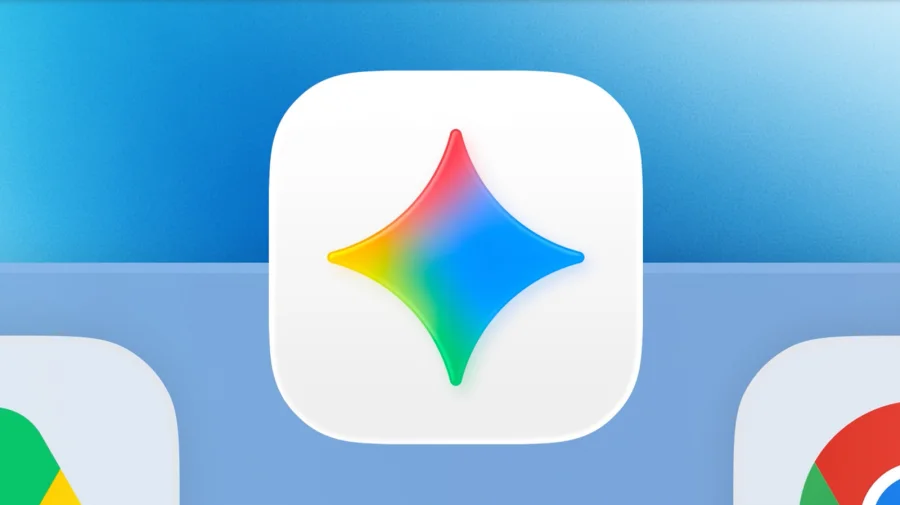
The Gemini app for macOS launched in April 2026, and Google claims it built over 100 features in less than 100 days. That rapid development cycle set the stage for Spark’s arrival. The app was initially positioned as a native AI assistant — a smart icon in your Dock that could help with drafting, organizing, and brainstorming. Spark takes that foundation and adds agency: the ability to act on your behalf.
Who is this for — and why it matters
For Mac users who rely on productivity tools, developers, or anyone managing complex workflows, Gemini Spark could be a significant time-saver. Instead of manually switching between apps or writing scripts, you can ask the AI to handle tasks. For example, you could say, “Move all PDFs from my Downloads folder to a new folder called ‘Reports’ and email me a summary.” If it works as promised, it could reduce friction in daily computing. But for casual users, the value may be less immediate — at least until the voice experience rolls out globally.
Google’s official word on the rollout
Google confirmed the rollout via its official social channels. In a post on Threads, the company stated: “The macOS app is available to download now for everyone. Gemini Spark is rolling out to Google AI Ultra subscribers in the U.S., and the new voice experience will be rolling out to all users, globally, in the coming weeks.” The company also shared a video on Facebook and Instagram highlighting the update, emphasizing that “more are coming” after the initial 100-feature launch.
What makes Spark different from other AI assistants
Unlike standard chatbots that generate text, agentic AI like Gemini Spark can execute commands and interact with your operating system. This is a step toward the long-promised vision of an AI that acts as a personal assistant — not just a conversational partner. On macOS, this means Spark can potentially control native apps, access files, and automate repetitive tasks. It’s a direct competitor to Apple’s own Siri and Microsoft’s Copilot, but with a focus on deep system integration rather than just search or productivity.
Confirmed facts vs what remains unclear
Confirmed: Gemini Spark is rolling out to Google AI Ultra subscribers in the US. The macOS app is available for everyone to download. A new voice experience is coming globally. Unclear: The exact scope of Spark’s capabilities on macOS — which apps it can control, how deep the automation goes, and whether it works offline. Also unclear: when the global voice rollout will happen, and whether Spark will eventually be available to free users. Google has not detailed pricing changes or regional expansion plans beyond the US.
Google’s moat: Why this matters for the company
Google’s advantage in the AI assistant space comes from three things: its massive user base, its integration with Google services (Gmail, Drive, Calendar, Docs), and its investment in agentic AI through the Gemini model. By bringing Spark to macOS, Google is extending its ecosystem beyond Android and Chrome, directly competing with Apple’s native tools. The company’s ability to iterate quickly — 100 features in 100 days — shows an aggressive pace that rivals may struggle to match. For Google, Spark on macOS is not just a feature; it’s a strategic move to own the desktop AI assistant market.
Risks and balanced view
Not everyone is convinced. Privacy concerns are top of mind — an AI that can control your Mac necessarily has deep access to your files and apps. Google has not detailed how data is handled or whether Spark operates on-device or in the cloud. There’s also the question of reliability: agentic AI can make mistakes, and a wrong command could delete files or misconfigure settings. Critics also point out that the feature is locked behind a $19.99/month subscription, limiting access to a small subset of users. And while Google promises a global voice rollout, there’s no firm timeline — leaving international users in limbo.
The bigger picture: AI assistants are becoming agents
Gemini Spark on macOS is part of a broader industry shift. Apple is reportedly working on a more powerful Siri with agentic capabilities. Microsoft’s Copilot is already deeply integrated into Windows. Amazon is revamping Alexa with generative AI. The race is no longer about who has the best chatbot — it’s about who can build an AI that truly acts on your behalf. Google’s move on macOS signals that it wants to be a player in this new arena, not just on its own platforms but across the entire computing landscape.
What Mac users should do now
If you’re a Google AI Ultra subscriber in the US, download the Gemini macOS app and look for the Spark feature. If you’re not a subscriber, you can still download the app for basic chat functionality and wait for the voice experience rollout. For everyone else, keep an eye on Google’s announcements — the global expansion is expected within weeks. And if privacy is a concern, review Google’s data policies before granting the app system access.
What’s next for Gemini on Mac
The immediate next step is the global rollout of the voice experience, which will bring Spark’s capabilities to all users. Beyond that, Google is likely to expand Spark’s agentic abilities — deeper app integration, more automation options, and possibly offline functionality. The company has not announced a timeline for these, but given its pace so far, more updates could come within months. For now, Spark on macOS is a promising start — but the real test will be whether it delivers on its promise of a truly helpful AI assistant.
Our Take
Gemini Spark on macOS is a significant step forward for Google’s AI ambitions. It moves the assistant from a passive tool to an active agent, which is exactly what users have been asking for. But the subscription paywall and US-only launch limit its immediate impact. The real story will be how Google handles privacy, reliability, and global access. If it gets those right, Spark could become a must-have for Mac users. If not, it risks being another promising feature that never quite delivers. For now, it’s a clear signal: the era of agentic AI on desktop has begun.
Frequently Asked Questions
What is Gemini Spark on macOS?
Gemini Spark is Google’s agentic AI assistant that can perform tasks on your Mac — like controlling apps, managing files, and automating workflows — rather than just answering questions. It’s available in the Gemini app for macOS.
Who can use Gemini Spark on Mac?
Currently, Gemini Spark is rolling out to Google AI Ultra subscribers in the United States. A new voice experience that will bring Spark’s capabilities to all users globally is expected in the coming weeks.
How much does Gemini Spark cost?
Gemini Spark is included with a Google AI Ultra subscription, which costs $19.99 per month. The basic Gemini app for macOS is free to download, but Spark’s agentic features require the subscription for now.
Is Gemini Spark safe to use on my Mac?
Google has not detailed specific privacy or security measures for Spark on macOS. Since it can control apps and files, users should review Google’s data policies and grant system access cautiously. The feature is cloud-based, so your data may be processed on Google’s servers.