Your Wi-Fi hotspot keeps dropping. The connection feels sluggish. Your laptop battery is draining fast. There is a simpler, often overlooked solution: plug your phone directly into your computer with a USB cable. This is USB tethering, and in many situations, it outperforms wireless sharing entirely.
What Exactly Is USB Tethering?
USB tethering is a feature that shares your smartphone's mobile data connection with another device, like a laptop or desktop, through a physical USB cable. Instead of broadcasting a Wi-Fi signal, your phone acts as a wired modem. The connected device uses your phone's cellular network to access the internet.
This method creates a direct, point-to-point link. There is no wireless signal to interfere with, making it a highly reliable option for work, travel, or areas with congested networks.
Why Choose a Cable Over a Wi-Fi Hotspot?
Wi-Fi hotspots are convenient, but they have weaknesses. Walls, distance, and other wireless devices can degrade the signal. USB tethering eliminates these issues entirely.
The physical connection offers several practical advantages. It typically provides a more stable connection with lower latency, which is crucial for video calls or online gaming. It also tends to be faster because there is no wireless overhead. Plus, your phone charges while connected, so you do not have to worry about battery drain during long work sessions.
How to Enable USB Tethering on Android
Enabling the feature on Android is straightforward. First, connect your phone to your computer using a compatible USB cable. Then, open the Settings app and navigate to Network & Internet or Connections, depending on your device manufacturer.
Look for Hotspot & Tethering or Portable Hotspot settings. Tap on USB tethering to turn it on. Your computer should automatically recognize the new network connection within a few seconds.
How to Enable USB Tethering on iPhone (iOS)
Apple's implementation is equally simple. Connect your iPhone to your computer using a Lightning or USB-C cable. If prompted, tap "Trust This Computer" on your phone.
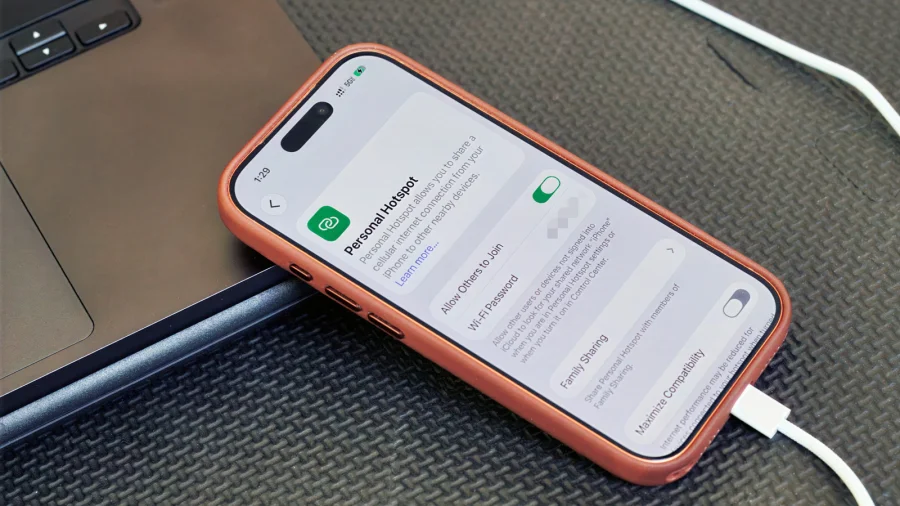
Next, go to Settings, then Personal Hotspot. Toggle on "Allow Others to Join" if it is not already enabled. The USB connection should activate automatically. If you do not see the option, ensure your cellular plan supports personal hotspot features.
Setting Up the Connection on Your Computer
Once your phone is connected and tethering is active, your computer handles the rest. On Windows, the connection appears as a new local area network. On macOS, it shows up in System Settings under Network. Linux systems typically recognize it as a USB Ethernet device.
In most cases, no additional drivers are needed for modern operating systems. If your computer does not detect the connection, try a different USB port or a high-quality data cable, as some cables are charge-only.
When USB Tethering Makes the Most Sense
This feature shines in specific scenarios. Travelers in hotels with weak Wi-Fi can rely on a stable wired connection. Remote workers facing frequent video call drops will notice a significant improvement. Gamers and streamers benefit from reduced latency and consistent speeds.
It is also a smart choice when your laptop's Wi-Fi adapter is malfunctioning or when you need a secure connection on a public network. The physical link is inherently more private than a wireless broadcast.
Confirmed Facts vs What Remains Unclear
What is confirmed: USB tethering is a built-in feature on both Android and iOS devices. It provides a wired internet connection and charges the phone simultaneously. What remains variable: actual speeds depend on your cellular carrier, signal strength, and data plan limits. Some carriers may restrict tethering or require a specific plan.
Risks and Balanced View
USB tethering is not without limitations. It requires a physical cable, which reduces mobility compared to Wi-Fi. Your phone must stay connected to the computer for the duration of use. Additionally, heavy usage can still consume significant mobile data, potentially leading to overage charges if your plan has a cap.
Some users report that certain carriers throttle tethering speeds after a certain threshold. It is always wise to check your carrier's policy on mobile hotspot and tethering before relying on it for critical tasks.
Wider Trend: The Return of Wired Connections
While wireless technology dominates, wired connections are making a quiet comeback in specific use cases. From Ethernet adapters for laptops to USB tethering for mobile data, users are rediscovering the reliability of physical links. This trend highlights a simple truth: sometimes the oldest method is still the most dependable.
Practical Reader Guidance
If you are struggling with an unstable Wi-Fi hotspot, try USB tethering today. Keep a good-quality USB cable in your bag. Before a critical meeting or travel day, test the connection at home to ensure everything works smoothly. Also, monitor your data usage to avoid unexpected charges.
Future Outlook
As 5G networks expand, USB tethering will likely become even more attractive. Faster cellular speeds combined with a stable wired connection could rival traditional broadband for many users. Expect smartphone manufacturers to continue refining this feature, possibly with faster data transfer protocols.
Our Take
USB tethering is an underrated tool that solves a common problem. It is simple, effective, and available on virtually every smartphone. While it may not replace Wi-Fi for everyday casual use, it is an essential fallback for anyone who needs a reliable connection. The next time your hotspot fails, remember that a cable might be your best friend.
Frequently Asked Questions
Does USB tethering use more battery than a Wi-Fi hotspot?
No, USB tethering typically uses less battery because the phone charges through the cable while sharing its connection. A Wi-Fi hotspot drains the battery faster due to wireless broadcasting.
Is USB tethering faster than a Wi-Fi hotspot?
Generally, yes. A wired connection eliminates wireless interference and overhead, often resulting in lower latency and more consistent speeds compared to a Wi-Fi hotspot.
Will USB tethering work with any USB cable?
No, you need a cable that supports data transfer. Some cables are charge-only and will not establish a tethering connection. Always use the cable that came with your phone or a certified data cable.
Does USB tethering consume mobile data?
Yes, USB tethering uses your phone's cellular data plan. Any data consumed by the connected device counts toward your monthly data allowance, so monitor usage to avoid overage fees.