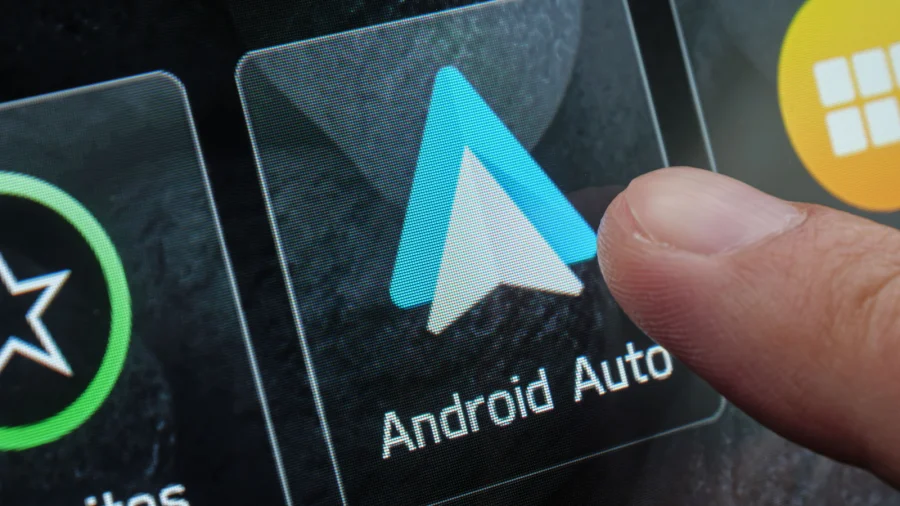
You plug in your phone, Android Auto lights up the dashboard, and you hit play. But the music sounds… flat. Muffled. Like it's playing through a blanket. You're not alone — and the fix might be simpler than you think.
Why Your Android Auto Sound Quality Falls Short
Android Auto is essentially a bridge between your phone and your car's infotainment system. The audio quality depends on every link in that chain — the phone's output, the cable or wireless connection, and the car's own sound processing.
Most people blame their car speakers first. But often, the real culprit is a setting buried in the phone or a low-quality cable.
The Cable Matters More Than You Think
If you use Android Auto wired, the USB cable is your first suspect. A cheap or damaged cable can introduce noise, reduce data transfer speed, and even cause intermittent disconnections.
Google's own guidance points to using high-quality, certified cables. Look for USB-IF certification or cables from reputable brands. If your audio crackles or drops out, swap the cable before changing any settings.
Check Your Phone's Developer Options
Hidden inside Android's developer options is a setting that directly impacts audio over USB. The "USB Audio Routing" option lets you control whether audio goes through the car's system or the phone's own DAC (digital-to-analog converter).
Some users report better sound quality when forcing USB audio routing to the car. Others prefer the phone's DAC for higher-resolution output. Experiment with both to see which sounds better in your vehicle.
Equalizer Settings: The Quickest Win
Your music app likely has its own equalizer, but Android Auto also respects system-level audio effects. Open your phone's sound settings and look for an equalizer or "Sound Effects" option.
Many cars also have their own EQ built into the head unit. A simple V-shaped curve — boosting bass and treble slightly — often makes a dramatic difference. But avoid extreme boosts, which can cause distortion at higher volumes.
Wireless vs Wired: Which Sounds Better?
Wireless Android Auto is convenient, but it compresses audio more than a wired connection. If you're an audiophile, wired is almost always the better choice.
That said, wireless quality has improved significantly. If you're using wireless and hearing artifacts, check whether your phone supports higher-quality Bluetooth codecs like LDAC or aptX Adaptive.
App-Specific Audio Settings You're Missing
Spotify, YouTube Music, and other streaming apps have their own quality settings. Many default to "Normal" or "Auto" quality, which reduces bitrate to save data.
Switch your streaming quality to "Very High" or "Always High" in the app's settings. This alone can dramatically improve clarity, especially on longer drives where the audio has time to buffer.
What About Your Car's Audio Processing?
Some cars apply their own sound processing — like noise cancellation or spatial audio — which can muffle the output. Dig into your car's audio settings and look for any "enhancement" features.
Turning these off can sometimes reveal the true quality of your music. It's worth testing with a song you know well.
Confirmed Fixes vs What Remains Unclear
Confirmed: Cable quality affects audio stability. App streaming quality settings directly impact sound. Developer options offer USB audio routing controls.
Unclear: Whether wireless or wired sounds better depends heavily on your specific phone and car. There's no universal answer.
Why Your Phone's DAC Could Be the Hidden Hero
Modern phones have surprisingly capable DACs. When you route audio through the car's system, you're often using a lower-quality DAC built into the head unit.
If your car supports it, forcing USB audio routing to the phone can bypass the car's weaker processing. This is a more advanced tweak, but it's free and reversible.
Risks and Balanced View
Not every fix works for every car. Some head units ignore developer options entirely. Others have aggressive audio processing that can't be disabled.
Also, be careful with equalizer boosts — pushing bass too hard can damage speakers over time. Start with modest adjustments and listen critically.
The Bigger Trend: Cars Are Becoming Audio Platforms
Android Auto is part of a larger shift where cars are becoming extensions of our digital lives. Audio quality is no longer just about speakers — it's about software, connectivity, and how well your phone talks to your car.
As wireless standards improve and more cars support high-resolution audio, the gap between car audio and home audio is narrowing.
Practical Steps to Try Right Now
Start with the simplest fixes first:
1. Swap your USB cable for a high-quality, certified one.
2. Check your streaming app's quality settings.
3. Experiment with your phone's equalizer.
4. Explore developer options for USB audio routing.
5. Test both wired and wireless to see which sounds better.
What's Next for Android Auto Audio
Google continues to refine Android Auto, and audio quality improvements are likely part of future updates. For now, the tools to improve your sound are already in your hands.
Our Take
Most people assume bad car audio means bad hardware. But the truth is, a few minutes of settings tweaking can unlock significantly better sound. The fixes above cost nothing and take less time than a coffee break.
Start with the cable and streaming quality — those are the two most common culprits. If you're still unhappy, then consider whether your car's speakers are the real limitation.
Frequently Asked Questions
Why does my Android Auto audio sound muffled?
Muffled audio is often caused by low streaming quality settings in your music app, a poor-quality USB cable, or aggressive audio processing in your car's head unit. Check all three to isolate the issue.
Does a better USB cable improve Android Auto sound?
Yes. A high-quality, certified USB cable ensures stable data transfer and reduces noise. Damaged or cheap cables can cause crackling, dropouts, and degraded audio quality.
Can I use my phone's equalizer with Android Auto?
Yes, system-level equalizer settings on your phone generally apply to Android Auto output. Some music apps also have their own EQ that works within Android Auto.
Is wireless Android Auto worse for audio quality?
Wireless Android Auto compresses audio more than a wired connection, which can reduce quality. However, phones supporting high-quality Bluetooth codecs like LDAC can minimize the difference.