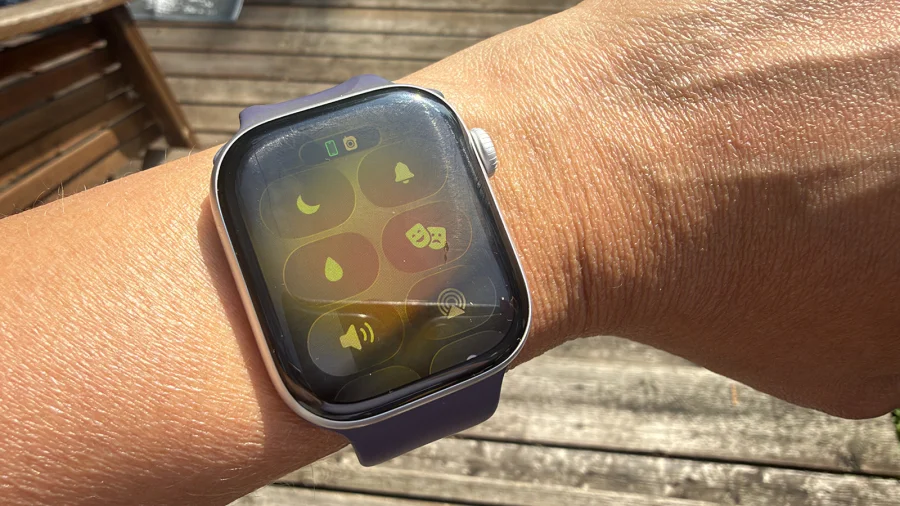
Imagine finishing a swim, only to find your Apple Watch’s speaker sounding muffled, as if it’s underwater. That’s exactly the problem the water lock feature was designed to solve—and it does so with a clever mix of software and physics.
What Is the Apple Watch Water Lock Feature?
The water lock feature is a built-in function on Apple Watches (starting from Series 2) that automatically activates when you start a swimming workout. Its primary job is to lock the touchscreen, preventing water droplets from triggering accidental taps or swipes while you’re in the water. But its real magic happens after you’re done.
How Does Water Ejection Actually Work?
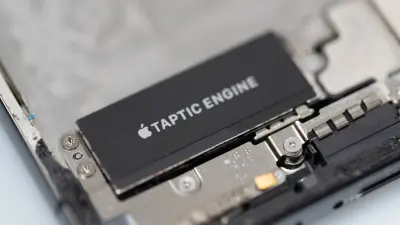
Once you finish your swim and turn the Digital Crown, the watch emits a series of low-frequency tones. These tones vibrate the speaker diaphragm, physically pushing water out of the speaker grille. The process takes just a few seconds, and you’ll see a small water droplet icon on the screen that disappears once the ejection is complete. This is not a software trick—it’s a mechanical one, using sound waves to clear the speaker.
Why Is This Feature Important for Your Apple Watch?
Water trapped in the speaker can muffle audio, making calls, alarms, and Siri responses hard to hear. Over time, residual moisture can also corrode internal components, especially if the watch is exposed to saltwater or chlorinated pools. The water lock feature mitigates this risk by actively removing water after every swim, extending the device’s lifespan.
Who Benefits Most from Water Lock?
Swimmers, triathletes, and anyone who uses their Apple Watch for water-based activities are the primary beneficiaries. But even casual users who wear their watch in the rain or while washing hands can manually activate water lock via Control Center to prevent accidental screen inputs. It’s a small but practical safeguard for everyday use.
How Apple Designed Water Lock for Different Models
Apple introduced water lock with the Apple Watch Series 2, which had a water resistance rating of 50 meters. Newer models, like the Apple Watch Ultra, offer deeper water resistance (100 meters) and an enhanced water lock feature that includes a depth gauge and automatic activation for diving. The core mechanism—sound-based water ejection—remains the same across all models, though newer watches have more powerful speakers for faster ejection.
What Happens If You Don’t Use Water Lock?
If you swim without water lock enabled, the touchscreen may register false taps, potentially pausing your workout or triggering apps. More critically, water left in the speaker can cause audio distortion for hours or even days. While the watch is designed to be water-resistant, the speaker grille is a vulnerable point, and water lock is the only built-in way to clear it.
Confirmed Facts vs What Remains Unclear
It is confirmed that water lock uses sound vibrations to eject water from the speaker, and that it activates automatically during swimming workouts. What remains unclear is the exact frequency and duration of the tones used, as Apple has not publicly disclosed these technical details. Some third-party tests suggest the process is effective for freshwater but may require multiple cycles for saltwater or chlorinated water.
Risks and Balanced View
While water lock is effective, it is not foolproof. Users have reported that after repeated swims, especially in saltwater, the speaker can still retain some moisture. Apple recommends rinsing the watch with fresh water after exposure to saltwater or chlorinated pools, and then running the water lock feature again. Additionally, water lock does not protect against water damage from high-pressure water activities like jet skiing or diving beyond the watch’s depth rating.
Wider Trend: Water Resistance in Wearables
Apple’s water lock feature is part of a broader trend in wearable technology where manufacturers are adding active water management systems. Competitors like Samsung and Garmin offer similar water lock modes, but Apple’s approach—using sound vibrations rather than passive drainage—is unique. This reflects a shift from simply making devices water-resistant to actively protecting them during and after water exposure.
Practical Tips for Apple Watch Users
After swimming, always turn the Digital Crown to activate water ejection. If you hear muffled audio, run the feature again. For saltwater or pool swims, rinse your watch with fresh water before using water lock. You can also manually enable water lock from Control Center (the water droplet icon) before any water activity, even if you’re not doing a formal workout.
Future Outlook
Apple may refine water lock further in future watchOS updates, potentially adding automatic detection for non-swimming water exposure or improving ejection efficiency for saltwater. With the Apple Watch Ultra’s depth gauge, we may see more advanced water management features for divers. For now, water lock remains a simple but essential tool for anyone who takes their Apple Watch into the water.
Our Take
The Apple Watch water lock feature is a textbook example of thoughtful design—solving a real problem with a clever, low-tech solution (sound waves) embedded in a high-tech device. It’s not flashy, but it’s the kind of feature that makes a device reliable in real-world conditions. For swimmers, it’s a must-use; for everyone else, it’s a reassuring safety net.
Frequently Asked Questions
Does water lock drain the Apple Watch battery?
No, water lock itself does not significantly drain the battery. The water ejection process uses the speaker for a few seconds, which consumes minimal power. The feature is designed to be energy-efficient.
Can I use water lock in the shower?
Yes, you can manually enable water lock from Control Center before showering. However, Apple does not recommend exposing the watch to soap or shampoo, as these can degrade the water seals over time.
How do I know if water lock is working?
When you turn the Digital Crown after a swim, you’ll hear a series of tones and see a water droplet icon on the screen. Once the ejection is complete, the icon disappears, and the screen unlocks. If you don’t hear the tones, the feature may not be activated.
Is water lock available on all Apple Watch models?
Water lock is available on Apple Watch Series 2 and later, including all SE and Ultra models. It is not available on the original Apple Watch (Series 0), which lacks water resistance.